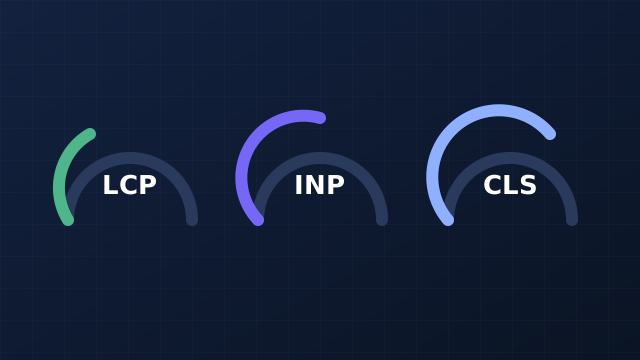
Core Web Vitals are three measurements of real-user experience: Largest Contentful Paint (LCP) for loading, Interaction to Next Paint (INP) for responsiveness, and Cumulative Layout Shift (CLS) for visual stability. Aim for LCP within 2.5 seconds, INP within 200 milliseconds and CLS within 0.1 for most visitors. They help Search, but they will not rescue a page that doesn't answer the question.
Do they matter for Google Search?
Google says it highly recommends achieving good Core Web Vitals for success with Search, and describes them as aligning with what its core ranking systems seek to reward. It does not give a ranking weight. Our reading: treat them as a quality floor and a user-experience win, and don't expect a speed fix alone to lift a page whose content doesn't match the search.
The three metrics and their thresholds
| Metric | What it measures | Good |
|---|---|---|
| Largest Contentful Paint (LCP) | Loading: when the main content appears | 2.5 seconds or less |
| Interaction to Next Paint (INP) | Responsiveness: delay between a tap or click and the next visual update | 200 milliseconds or less |
| Cumulative Layout Shift (CLS) | Stability: unexpected movement of content | 0.1 or less |
The web.dev definition assesses each at the 75th percentile of page loads, separately for mobile and desktop. That means a page passes when three out of four visits meet the threshold, not when your own fast laptop does. It also says INP replaced the older First Input Delay metric and became a stable Core Web Vital in 2024.
How to measure them
Use real-user (field) data first. The Core Web Vitals report in Search Console groups your URLs by status, and Google points to it as the place to check how your pages perform. Lab tools such as Lighthouse are useful for diagnosing a fix, but they test one simulated visit, so they can disagree with field data. If they disagree, trust the field data for Search and use the lab tool to find the cause.
Improve LCP: get the main content on screen sooner
web.dev's guide to optimising LCP splits it into four parts: server response time, resource load delay, resource load time and render delay. The fixes it lists that most small sites can use:
- Make the main image discoverable in the page's HTML, with a real
src, rather than loading it late from scripts or CSS. - Never lazy-load the main (LCP) image. Lazy-load everything below it instead.
- Start it early with
fetchpriority="high"on the one or two images most likely to be the LCP element. - Shrink it: right-sized dimensions, compression and a modern format such as WebP or AVIF.
- Cut server delay: fewer redirects and caching through a CDN.
Improve INP: keep the page responsive
The INP guide breaks each interaction into input delay, processing time and presentation delay. Most slow interactions come from the main thread being busy with JavaScript.
- Break up long tasks so the browser can respond between chunks of work.
- Ship less JavaScript, especially third-party scripts, chat widgets and tag managers loaded on every page.
- Keep click handlers light: do the work needed for the next frame and defer the rest.
- Keep the page small: a very large DOM makes every update slower.
Improve CLS: stop the page jumping
The CLS guide lists the usual culprits and the fixes:
- Set
widthandheighton images and video, or reserve space with CSSaspect-ratio. - Reserve space for ads, embeds and banners so late-loading content doesn't push the page down.
- Handle web fonts with a close-matching fallback so text doesn't reflow when the font arrives.
- Animate with
transform, not with properties liketoporleftthat change layout.
- Slow or jumpy pages cost sales on mobile, whether or not they cost rankings.
- The cheapest wins are usually images and third-party scripts, not rebuilding the site.
- Fix the template, not the page: one fix to a shared layout improves every page that uses it.
- Open the Core Web Vitals report in Search Console and note which metric fails, on mobile first.
- Pick the worst page group and run it through Lighthouse to find the cause.
- Check the main image: sized, compressed, in the HTML, not lazy-loaded.
- List your third-party scripts and remove any you don't need.
- Check every image and embed has reserved space.
- Re-check in Search Console after a few weeks; field data updates slowly.
Core Web Vitals are one part of the foundation. For crawling, indexing and mobile checks that come before them, work through the technical SEO audit checklist. To decide whether speed work should come before content work, see how to improve Google rankings. If AI tools matter to you too, AI crawlers and robots.txt covers the access side.
Sources and methodology
- web.dev: Web Vitals, for the three metrics, thresholds, 75th percentile and INP replacing FID.
- Google Search Central: Understanding Core Web Vitals and Google Search results, for the Search recommendation and Search Console report.
- web.dev: Optimize Largest Contentful Paint, Optimize Interaction to Next Paint and Optimize Cumulative Layout Shift, for the fixes.
Methodology. This guide summarises the documentation above, read on 3 November 2026. We did not run speed tests for it. Thresholds can differ slightly between tools; Search Console field data is the reference for Google Search.
Reviewed .